Best Conversational AI Chatbots for Education (Teacher Tool Comparison)
Many teachers already understand what educational chatbots are. The real challenge is choosing the right one.
With a growing number of conversational AI tutors available, it’s difficult to know which tools genuinely support learning, offer strong teacher control, and fit everyday classroom practice.
How We Compared Conversational AI Chatbots for Education
We compared conversational AI chatbots based on how well they work in everyday classroom settings, not on demo features or marketing claims.
Our comparison focused on five practical questions teachers usually ask:
How much control do teachers have? Can teachers define topics, set rules, and limit responses to approved learning materials?
Does the chatbot support learning with feedback? Does it help students improve through feedback, follow-up questions, or review options?
How does it fit into classroom use? Can it support self-study, guided practice, role-play, or whole-class activities?
How accurate and reliable are responses? Are answers grounded in teacher-provided or curated content rather than unrestricted AI output?
Is it safe for students? Does the tool meet education privacy requirements and offer monitoring or filtering features?
These criteria guided our comparison across all platforms.
Overview of Conversational AI Tutors on the Market
The AI tutor market includes tools designed for very different purposes. Some focus on lightweight self-study, others on teacher-led classroom use.
Below is a comparison of commonly used conversational AI tools in education.
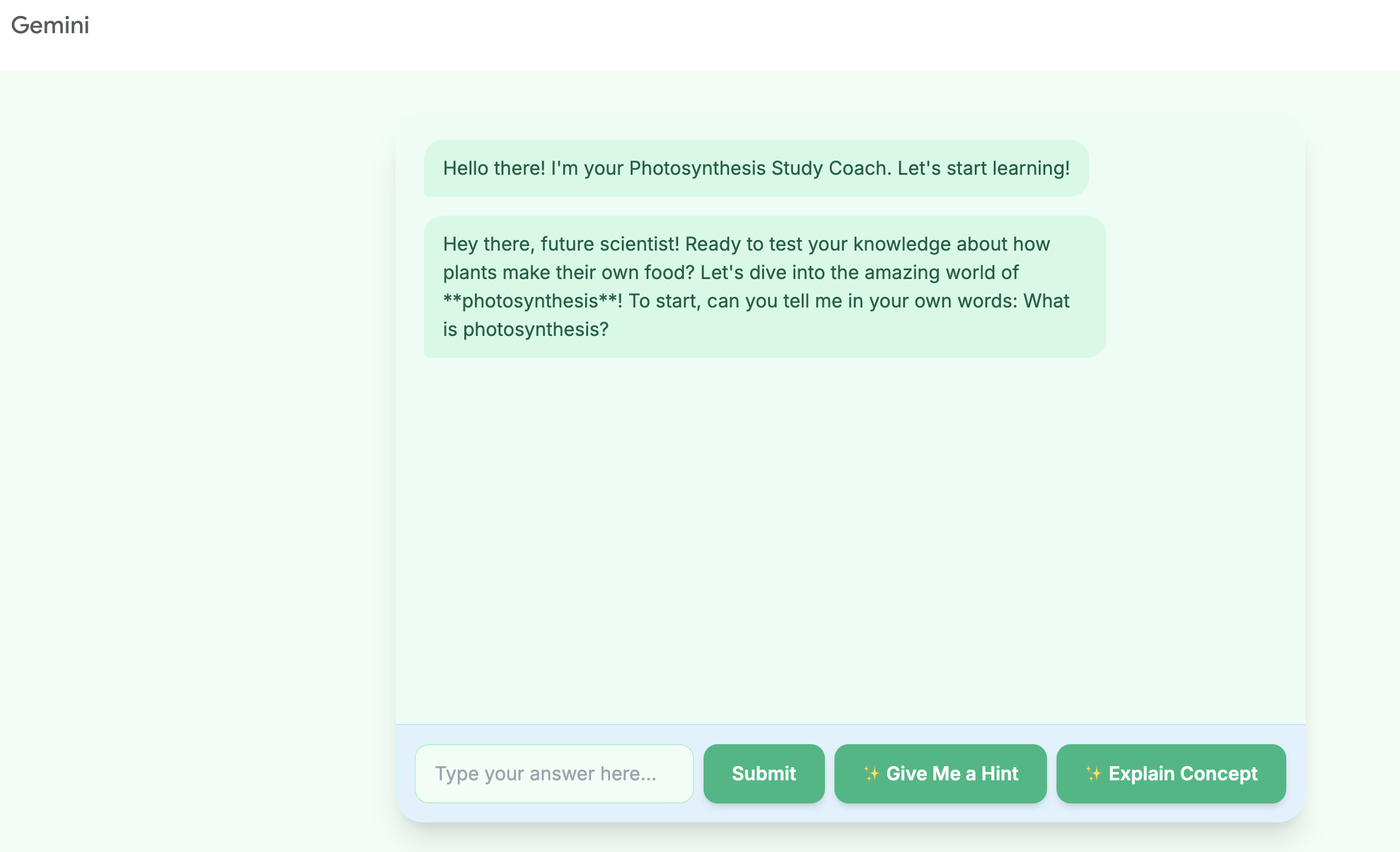
Google Gems (Gemini in Classroom)
Best for: Schools already using Google Workspace
Google Gems allows teachers to create AI study helpers from Google Classroom materials. It works well for individual self-study tasks, such as reviewing content or answering questions based on uploaded documents.
Strengths
Seamless integration with Google Classroom
Simple setup for existing Google users
Limitations
Limited classroom interaction modes
Focused mainly on self-study rather than guided instruction
Gemini Chatbot
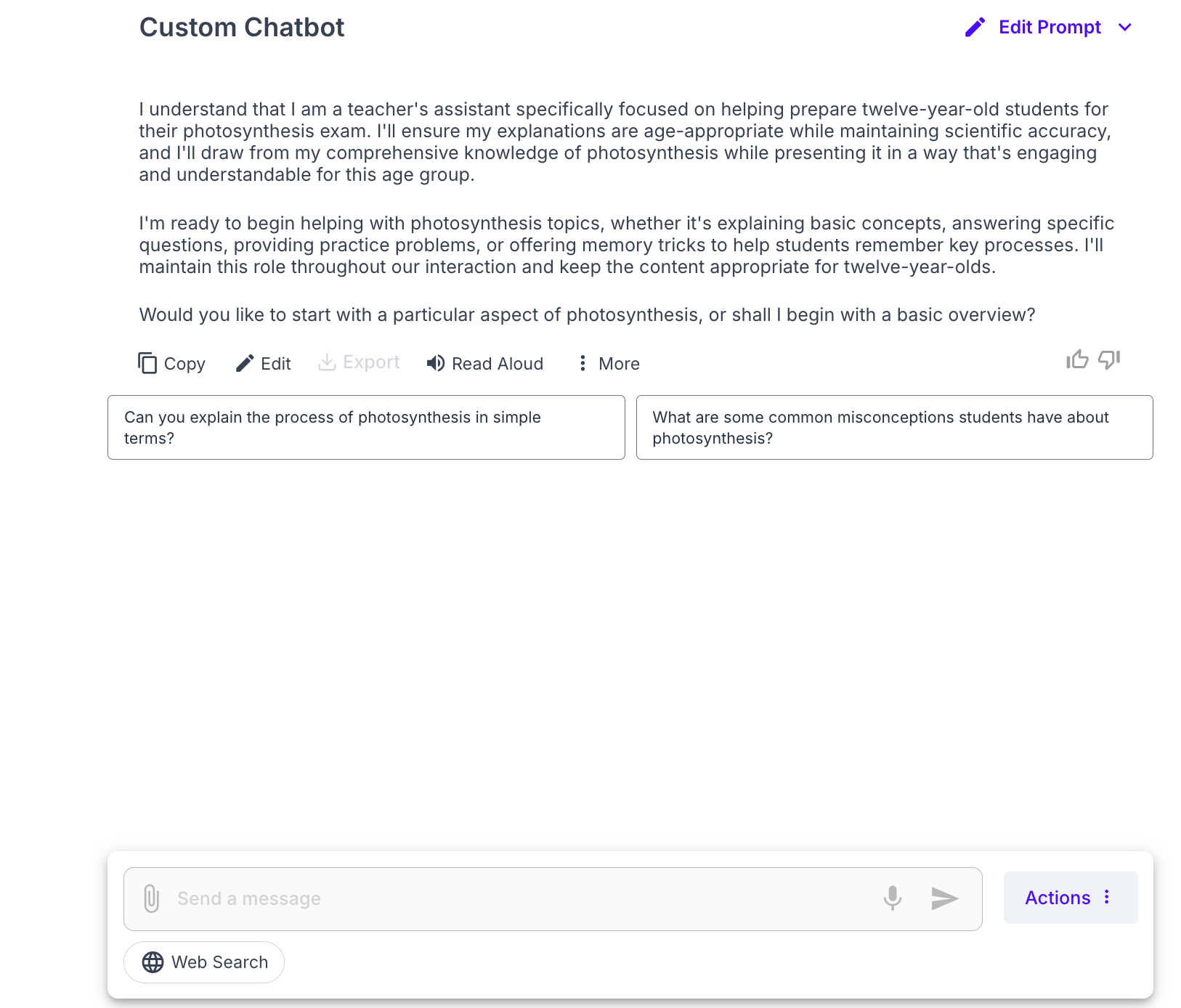
MagicSchool Custom Chatbot
Best for: AI literacy and role-play activities
MagicSchool’s Custom Chatbot lets teachers build chatbots from classroom resources for Q&A or role-playing scenarios, such as interacting with historical figures. It sits within MagicSchool’s broader set of education tools.
Strengths
Flexible role-play options
Strong emphasis on AI literacy
Integrates with common LMS platforms
Limitations
Chatbots are part of a larger toolkit, not a standalone focus
Evaluation features are limited compared to assessment-focused platforms
MagicSchool Custom Chatbot
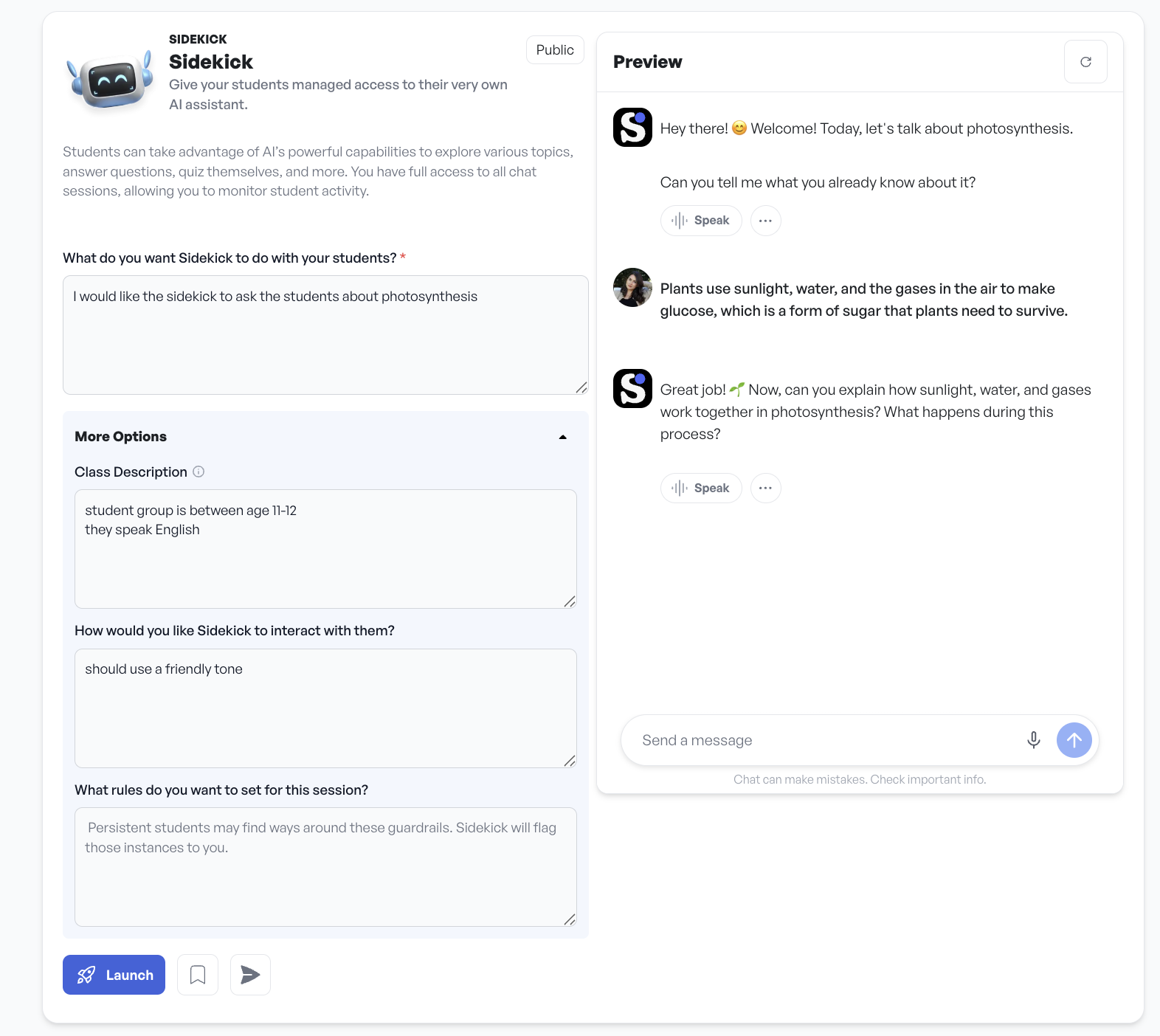
SchoolAI Spaces
Best for: Safe, topic-based student interactions
SchoolAI Spaces provides AI “Sidekicks” that support topic-specific conversations for self-study or classroom discussion. The platform prioritizes safety and teacher oversight.
Strengths
Strong safety features
Simple setup
Useful for guided exploration and discussion
Limitations
Fewer interaction modes
Limited evaluation and feedback tools
School AI Sidekick
Redmenta Chatbot
Best for: Teacher-controlled learning and evaluation
Redmenta’s chatbot is built around teacher-uploaded materials, ensuring curriculum-aligned responses. Teachers can choose from multiple modes depending on learning goals, including Explainer, Quiz, Role-Playing, and Custom Prompt modes.
Strengths
Full teacher control over content and behavior
Multiple learning modes for different classroom needs
Strong evaluation tools, including rubric-based assessment and conversation review
Designed for both self-study and classroom use
Limitations
Requires initial setup of materials
More structured than lightweight chat tools
On Redmenta Chatbot teachers could choose from different modes
Redmenta Chatbot in action
Feature
MagicSchool
Google Gems
SchoolAI
Redmenta
Customization
Strong: Builds chatbots from documents for self-study or role-playing, flexible but tied to MagicSchool’s toolkit.
Good: Customizes using Google Classroom resources for self-study tasks but limited in classroom versatility.
Moderate: Creates topic-specific chats for self-study or class but fewer interaction modes.
Strong: Uploads teacher materials for precise curriculum alignment; six modes (Explainer, Quiz, Role-Playing, Custom Prompt) offer unmatched flexibility for self-study and class.
Engagement
Strong: Offers self-study Q&A and classroom role-playing (e.g., historical figures).
Moderate: Solid for self-study with “Study Partner” or “Quiz Me” but basic for classroom use, tied to Google Classroom.
Moderate: Engaging chats for study and class activities (e.g., career exploration) but less varied.
Strong: Excels in self-study with Explainer clarifying concepts, Quiz adapting to pace, and Role-Playing building skills.
Accuracy
Strong: Document-based for accuracy, with Student Room Insights monitoring, close to Redmenta.
Fair: Relies on selected resources; Gemini model may falter in self-study, with less classroom oversight.
Strong: Document-based for accuracy, with Student Room Insights monitoring, close to Redmenta.
Strong: Uses materials uploaded by the teacher to avoid errors, with teacher review for top reliability in self-study and class.
Ease of Use
Strong: User-friendly in MagicSchool’s dashboard, integrates with Google Classroom/Canvas.
Strong: Seamless for Google Workspace users, less effective outside.
Strong: Simple setup with LMS support for self-study and class.
Strong: Intuitive, standalone, LMS-compatible; custom modes need minor setup but highly flexible.
Evaluation
Fair: Tracks progress with real-time analytics via Student Room Insights.
Moderate: Basic feedback, limited by minimal analytics.
Fair: Chat log insights for engagement, but lacks depth.
Strong: Delivers flexible evaluation through rubric-based assessment, teacher comments, full conversation review, and adaptive quizzes.
Privacy
Strong: FERPA/COPPA-compliant, 93% privacy rating, with monitoring.
Strong: No data training without consent, K–12 safe.
Strong: High security with safety alerts for issues like bullying.
Strong: GDPR-compliant, with content filtering and chat reviews, ideal for all ages.
Which Conversational AI Chatbot Is the Best Choice?
The best chatbot depends on teaching goals.
If the priority is lightweight self-study within an existing Google environment, Google Gems may be sufficient. For role-play and AI literacy, MagicSchool offers flexible options. SchoolAI Spaces works well for safe, guided conversations.
If teacher control, curriculum alignment, and evaluation matter most, Redmenta stands out with structured learning modes and assessment tools designed for real classroom use.
Key Takeaways for Teachers
Conversational AI chatbots can support learning when used intentionally. Tools that provide feedback, structure, and teacher oversight are more likely to strengthen understanding rather than replace thinking.
Before choosing a platform, teachers should consider how the chatbot fits into lesson design, how learning is evaluated, and how student safety is ensured.
Kosmyna, N., et al. (2025). Your Brain on ChatGPT: Accumulation of Cognitive Debt when Using an AI Assistant for Essay Writing Task. MIT Media Lab. https://www.media.mit.edu/publications/your-brain-on-chatgpt-accumulation-of-cognitive-debt-when-using-an-ai-assistant-for-essay-writing-task/
Hattie, J., & Timperley, H. (2007). The Power of Feedback. Review of Educational Research, 77(1), 81–112. https://doi.org/10.3102/003465430298487
July 25, 2025
Join our teacher community
Connect with open-minded educators, gain access to ongoing support from the AI experts of Redmenta, and discover a wealth of interesting learning resources.

.png)
.png)


